 ZenView for YouTube
A calmer YouTube, in the classroom and at home.
Ads play sped up, muted, then skip themselves. One button gives you a clean screen to show a video to your students.
Free. No account. No data collected.
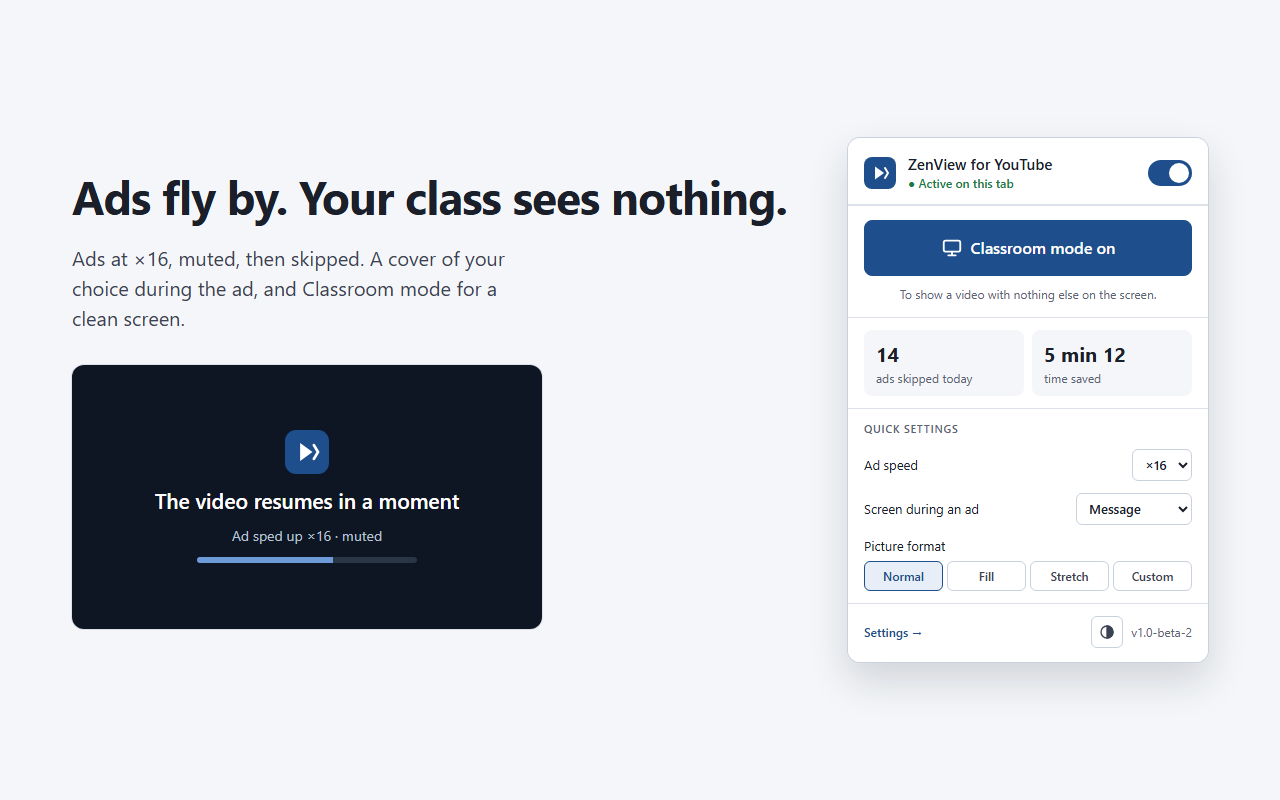
Ads, without the wait
Sped up and muted
Video ads play up to 16 times faster, with no sound, then are skipped automatically as soon as possible.
A calm screen during the ad
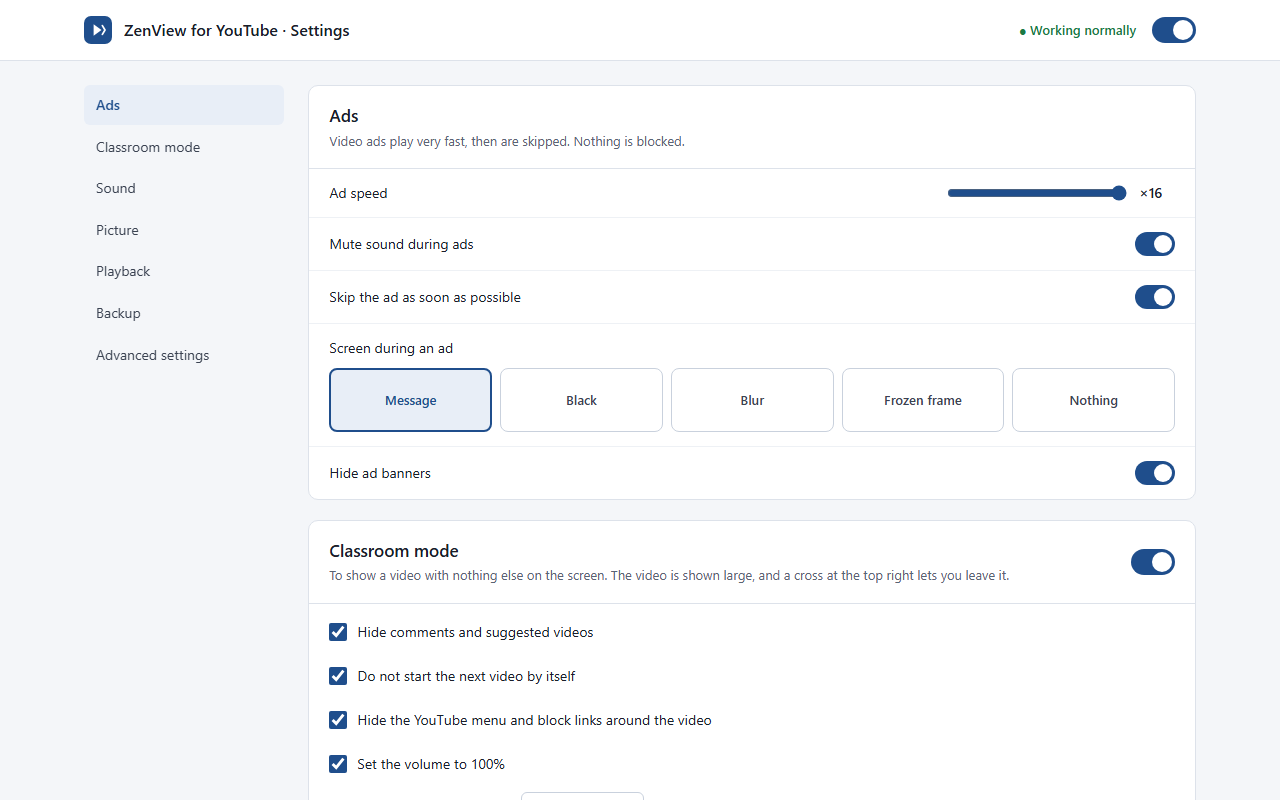
A cover of your choice hides the ad: a message, a black screen, a blur, a frozen frame or nothing at all.
Banners hidden
Ad banners and promoted slots on the page disappear.
A counter
See how many ads were avoided and how much time you saved.
Classroom mode, for teachers
Showing a video to your class? One button and the screen is clean.
- Comments, suggested videos and end screens disappear.
- The next video does not start by itself.
- Only the player stays on screen: pause, progress bar and volume remain usable.
- Sound is at 100% and the player gets bigger by itself (theater mode).
- A ✕ lets you leave the video with one click.
Comfort on top
Sound under control
Default volume, sound always at 100%, boost up to 300%, levelled volume.
Speed and quality
Choose playback speed and quality once and for all.
Picture format
Default, fill, stretch or custom (zoom, ratio, framing).
Resume where you left off
The video restarts where you stopped. You can also play just a clip, once or looped.
Your settings with you
Export your settings to a file and import them on another computer.
Light or dark
The extension follows your browser's theme.
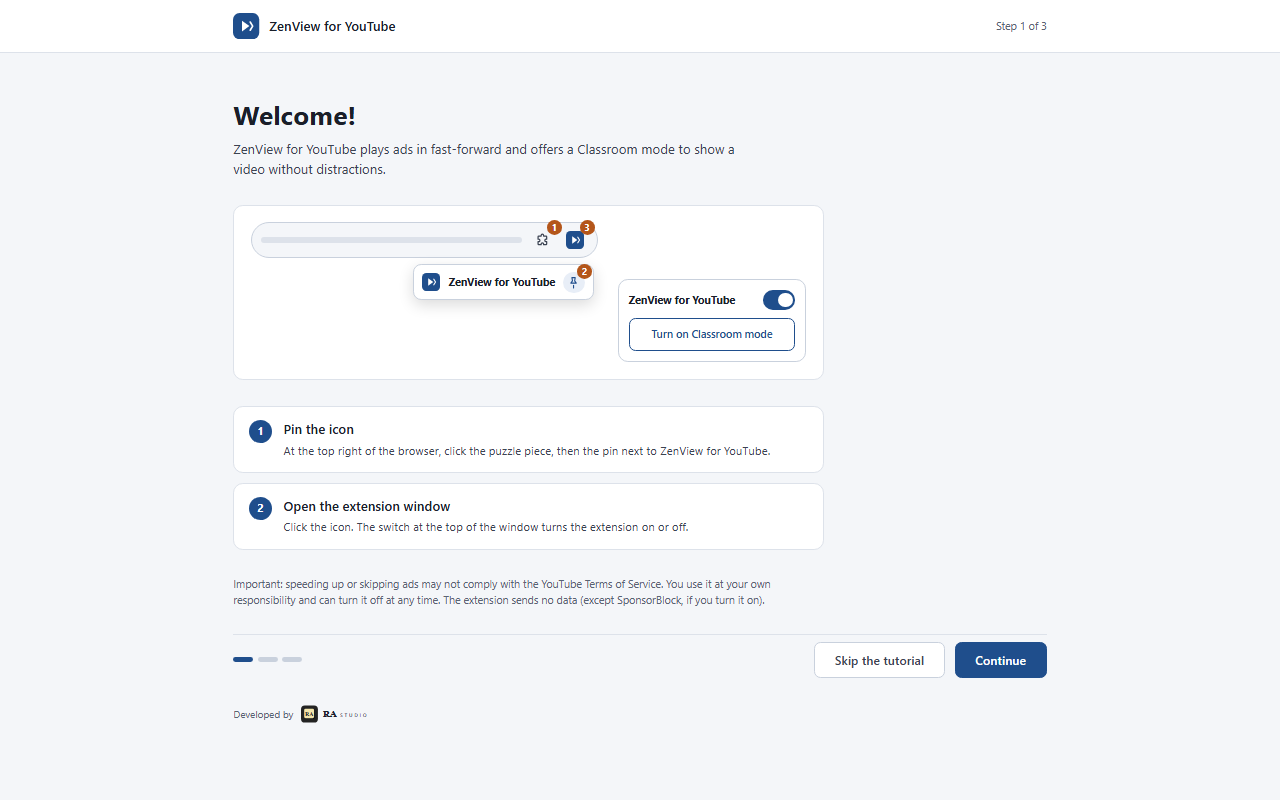
Easy to start
Nothing to set up: ads are handled as soon as it is installed. For class, a single “Turn on Classroom mode” button. The other settings are there if you need them.
Your privacy first
No data is collected and no account is needed. Your settings stay on your computer. Read the privacy policy
Good to know, in all honesty
Speeding up and automatically skipping ads may not comply with YouTube's Terms of Service. These features can be turned off at any time in the settings.
ZenView for YouTube is not affiliated with or endorsed by YouTube or Google.